
 thesiswriter.pk@gmail.com |
  +92 3164838761
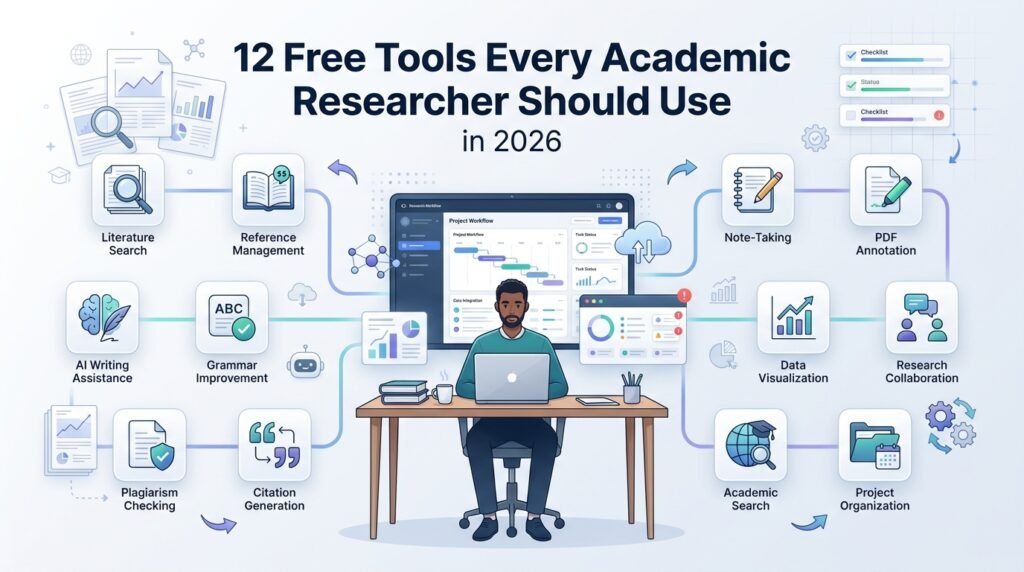
12 Free Tools Every Academic Researcher Should Use in 2026
Research budgets are unequal; the tools below aren’t. Every item is genuinely free (not trial-free), currently maintained, and earns its place at a specific stage of the research-to-publication pipeline — from managing references to verifying journals to running statistics without an SPSS license. For each: what it does, where it fits, and the honest limitation. Organized by pipeline stage.
How this list was chosen
Selection criteria, so you can trust the cut: every tool is (1) genuinely free at the tier described — no expiring trials; (2) actively maintained as of 2026; (3) fit for real manuscript work, not demos; and (4) safe to rely on — open-source or institutionally backed, with your data exportable if you ever leave. Tools were excluded for free tiers too small to matter, abandonment risk, or — in one category discussed at the end — policy risk to your manuscript. What follows is the stack we actually recommend to coaching clients who ask what to install before their first session.
Reference & literature management
1. Zotero
The open-source reference manager that ended the excuse for citation chaos: one-click capture from browsers, automatic metadata, PDF storage, and citation styles for every journal you’ll ever target — including APA 7th, the default across our clients’ fields. Where it fits: from your first literature search to your final reference list. Limitation: free cloud storage caps at 300 MB (local storage is unlimited; syncing large PDF libraries costs a modest subscription or a WebDAV workaround).
2. Google Scholar + Alerts
Discovery, not verification. Scholar’s coverage is the broadest available, its citation trails (“cited by”) are the fastest way to walk a literature forward in time, and saved-search Alerts solve the outdated-literature problem (rejection reason #5 in our companion post) automatically — set alerts on your key terms and your key authors the day you start a project. Limitation: Scholar indexes inclusively, predatory journals included; it is a search engine, never a quality signal.
3. Connected Papers
Paste one seed paper; receive a visual graph of the surrounding literature, clustered by similarity rather than raw citation counts — the fastest legitimate way to find the adjacent conversation you didn’t know existed, and a genuine aid for positioning a contribution. Free tier covers a handful of graphs per month. Limitation: the graph suggests relevance; it doesn’t read the papers for you.
Journal verification & selection
4. Clarivate Master Journal List
The free, authoritative answer to “is this journal really in Web of Science — and in which index?” Search any title and see its exact placement: SCIE, SSCI, AHCI, or ESCI. That last distinction decides whether an Impact Factor exists at all, which makes this a mandatory pre-submission stop for anyone whose requirements say “ISI.” Limitation: shows indexing, not metrics — JIF values live in Journal Citation Reports.
5. Scopus Sources list (free download)
Elsevier publishes the full Scopus source list — including the discontinued-titles tab that quietly determines whether your paper will count. Verify any journal’s active status, subject areas, and CiteScore before submission; screenshot it for your records. Limitation: updated periodically, so pair it with the journal’s live Scopus source page for anything borderline.
6. Think. Check. Submit.
The publishing industry’s own anti-predatory framework: a structured question checklist backed by COPE, DOAJ, and the major publisher associations. Five minutes per journal, and it forces the verification steps most researchers skip. We run every client shortlist through it. Limitation: it’s a framework, not a database — it structures your judgment rather than replacing it.
7. DOAJ (Directory of Open Access Journals)
The quality floor for open access: DOAJ-listed journals have passed screening on peer review, licensing, and transparency, and DOAJ removes titles that fail its standards. If an OA journal charging an APC isn’t in DOAJ, that absence is a question demanding an answer. Limitation: covers open access only — absence means nothing for subscription journals.
Statistics without a license
8. JASP
A free, open-source statistics package built at the University of Amsterdam with an interface SPSS users recognize immediately — t-tests, ANOVA, regression, factor analysis, and APA-formatted output tables that drop straight into a manuscript. Where it fits: everything most social science and business manuscripts need, at exactly zero cost. Limitation: advanced or niche procedures may still require R underneath — which JASP politely exposes when needed.
9. jamovi
JASP’s sibling in spirit: free, R-based, spreadsheet-familiar, with a growing module library and live syntax mode that teaches you the R you’re secretly running — the gentlest on-ramp we know from menu-driven analysis toward reproducible code. Limitation: as with JASP, the newest methods arrive via modules with varying maturity. (Our SPSS coaching covers both — the concepts transfer completely.)
Writing, submission & identity
10. PRISMA 2020 flow diagram generator
Systematic review authors: the free official generator produces the PRISMA 2020 flow diagram journals now expect, correctly structured, export-ready. Fifteen minutes here replaces an evening of drawing boxes — and reviewers notice compliant reporting. Limitation: the diagram is the easy part; the search strategy behind it is the review (our PRISMA guide covers that).
11. LanguageTool
An open-source grammar and style checker that runs in browsers and word processors, with a free tier that catches the error classes reviewers penalize — agreement, articles, punctuation — across English variants. Honest positioning: it’s triage, not editing; it will not fix argument flow, academic register, or the clarity problems that amplify rejection reason #6. Use it as the floor, professional editing as the standard for submission.
12. ORCID
The persistent researcher ID that submission systems increasingly require and promotion files increasingly expect: one profile that disambiguates you from every same-named academic, travels across institutions, and auto-populates from Crossref. Two minutes to register; permanent benefit. Limitation: only as current as you keep it — set a calendar reminder per publication.
Bonus: collaboration & open science
13. OSF (Open Science Framework)
A free project workspace from the nonprofit Center for Open Science: preregister studies, store materials and data with version control, collaborate across institutions, and — increasingly relevant — satisfy the data-availability statements journals now require by linking a citable OSF repository instead of emailing spreadsheets on request. Where it fits: from design (preregistration timestamps your hypotheses) through publication (public or embargoed data sharing). Limitation: organization discipline is on you — an OSF project mirrors its owner.
14. Zenodo
CERN-backed and free: deposit datasets, code, or supplementary materials and receive a DOI that makes them permanently citable — the cleanest answer to “data available upon request,” which editors and integrity screeners increasingly distrust. Pairs naturally with a GitHub release for analysis code. Limitation: a repository is not documentation; deposit a README with variable definitions or the DOI points at a puzzle.
These two earn “bonus” status only because not every manuscript needs them yet — but requirements are moving one direction. Depositing data and materials today future-proofs the paper against the disclosure standards of its review, not just its submission.
The stack, by pipeline stage
| Stage | Tools | Replaces |
| Literature discovery & management | Zotero · Scholar Alerts · Connected Papers | Paid reference managers; manual searching |
| Journal verification | Master Journal List · Scopus Sources · Think.Check.Submit. · DOAJ | Trusting journal badge walls |
| Analysis | JASP · jamovi | An SPSS license (for most manuscripts) |
| Reporting & submission | PRISMA generator · LanguageTool · ORCID | Manual diagrams; unchecked typos; identity chaos |
Setting up the stack in one afternoon
Order matters less than momentum, but this sequence works in about three hours. Hour one: install Zotero plus its browser connector, create your ORCID, and connect the two mentally — every paper you capture from now on is citable chaos avoided. Hour two: set Google Scholar Alerts on your three core search strings and your five key authors, then generate one Connected Papers graph from your field’s anchor paper and skim the clusters you don’t recognize — that skim is your literature-gap insurance. Hour three: bookmark the Master Journal List, the Scopus Sources page, DOAJ, and Think. Check. Submit. as a “journal verification” folder, and install JASP or jamovi and run one t-test on sample data so the interface is familiar before a deadline makes it urgent. Total cost: zero. Recurring benefit: every paper you ever write.
When the paid upgrade is worth it (and when it isn’t)
Honest guidance on the freemium boundaries. Worth paying for, case by case: Zotero storage (a few dollars monthly) once your PDF library outgrows 300 MB and you work across devices — or configure free WebDAV sync if you’d rather spend an hour than a latte. Rarely worth paying for: grammar-tool premium tiers as a substitute for professional editing — the premium catches more surface errors but still cannot repair argument structure, register, or flow, which are what reviewers actually penalize; if the manuscript matters, the budget belongs in human editing with a certificate. Never worth paying for: “indexing services,” “impact factor certificates,” or any tool whose pitch is making a journal look indexed — those aren’t research tools, they’re props for the ecosystem our predatory checklist exists to protect you from.
A note on AI writing tools
Deliberately absent from this list. AI assistants can be legitimate for grammar and clarity in many contexts — but journal and university policies on AI-assisted writing vary widely and change fast, most journals now require disclosure of AI use, and undisclosed AI-generated text is treated as an integrity issue at a growing number of publishers. Before using any AI tool on a manuscript, read your target journal’s current policy and your institution’s — and when in doubt, disclose. Free tools should never cost you a paper.
The takeaway
Fourteen tools, zero dollars, and coverage of every stage where free software genuinely substitutes for paid: capture and cite with Zotero, discover with Scholar and Connected Papers, verify journals at the source, analyze in JASP or jamovi, report with the PRISMA generator, submit under a permanent ORCID, and share data through OSF and Zenodo. The pattern worth internalizing: free excels at mechanics and verification; human expertise still owns judgment — what to claim, where to submit, how to answer Reviewer 2. Spend money only where judgment lives.
FAQs
Is JASP or jamovi “accepted” by journals? Journals accept analyses, not software brands. Report the tests, assumptions, and statistics correctly — in APA style where required — and no reviewer will object to the engine that computed them. Cite the package and version as you would any software.
Why isn’t Mendeley here? It remains usable, but Zotero’s open-source model, format support, and development pace have made it the safer long-term home for a citation library you’ll carry for decades.
What about Sci-Hub? We don’t recommend it — it operates outside copyright law. Unpaywall (a free browser extension) finds legal open-access versions of paywalled papers, and direct emails to authors still work remarkably well.
Do I still need EndNote if my university provides it? If your co-authors and templates live in EndNote, use it — interoperability beats ideology, and RIS export moves libraries either way. The case for Zotero is what happens after graduation: institutional EndNote licenses end with your affiliation; an open-source library is yours for a career.
Are these tools safe for confidential or unpublished data? Reference managers and verification sites never see your data. For analysis, JASP and jamovi run fully offline on your machine. For OSF and Zenodo, deposits are public by design unless you use embargo or private-project settings — configure those deliberately before uploading anything sensitive or pre-publication.